AMD Drivers Auto Detect – Effortless Driver Updates for Your AMD Graphics & Chipsets
Keeping your AMD graphics card or Ryzen-powered PC running at peak performance is now easier than ever. AMD Drivers Auto Detect is a free official tool from AMD that automatically scans your computer, identifies your hardware, and installs the latest drivers — all with just a few clicks.
No more guessing your GPU model, no more wrong driver downloads, and no more wasting time browsing endless support pages. This tool does the hard work for you, making driver updates fast, safe, and headache-free.
Why AMD Drivers Auto Detect is a Must-Have
Whether you’re a hardcore gamer, a content creator, or just someone who wants their PC to run smoothly, keeping your drivers up to date is essential. The AMD Auto Detect tool ensures you always have the latest performance boosts, game optimizations, and bug fixes — without the manual hassle.
It’s perfect for:
- Gamers who want maximum FPS and stability in new titles.
- Streamers & creators who need smooth performance for recording and editing.
- Everyday users who just want their PC to run at its best.
Standout Features You’ll Love
- One-Click Updates – From scan to install in minutes.
- Automatic Hardware Detection – No need to know your model number.
- Game-Ready Drivers – Get the best optimizations for the latest games.
- Radeon & Ryzen Support – Works with both GPUs and chipsets.
- Official & Secure – Straight from AMD, no bloatware or hidden extras.
- Lightweight Tool – Won’t slow down your PC.
How It Works
- Download the AMD Auto Detect Tool.
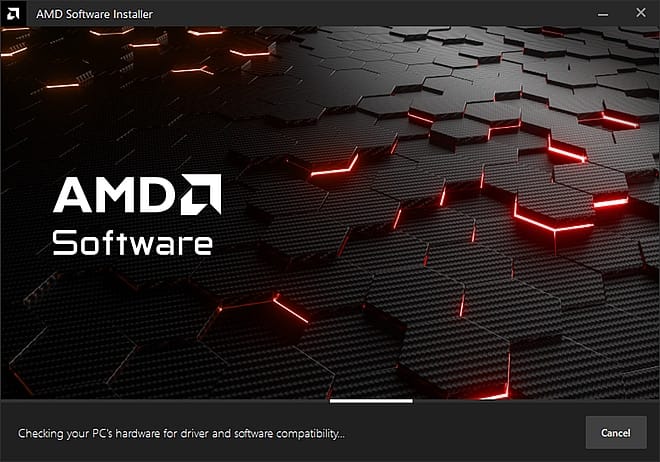
- Run it — the program instantly scans your PC for AMD hardware.
- Review the recommended driver update.
- Click Install to download and apply the latest drivers.
- Restart your system for the changes to take effect.
That’s it. You’re ready to enjoy smoother gameplay, better visuals, and a more stable PC.
System Requirements
- OS: Windows 10 or Windows 11 (64-bit)
- Internet: Required for driver download
- Supported Devices:
- AMD Radeon™ graphics cards (desktop & laptop)
- AMD Ryzen™ processors with Radeon™ Graphics
- AMD chipset motherboards
File Details
| Software Name | AMD Drivers Auto Detect |
|---|---|
| Developer | AMD (Advanced Micro Devices) |
| License | Free |
| Version | Latest 2025 Release |
| File Size | ~1 MB |
| Format | EXE |
| Platform | Windows 10/11 (64-bit) |
| Official Website | https://www.amd.com |
Pro Tips for Best Results
- Always download from AMD’s official website to avoid malware.
- Restart your PC after installation to apply changes.
- If you’re a gamer, check for updates before installing new game releases.
💾 Click Here to Download AMD Drivers Auto Detect – Official Free Tool
FAQ – AMD Auto Detect
1. Do I need technical knowledge to use this tool?
No. The tool is designed for all users — from beginners to experts.
2. Is AMD Auto Detect completely free?
Yes. It’s 100% free with no hidden charges.
3. Will it work with my laptop’s AMD graphics?
Yes, in most cases — though some laptops require drivers from the manufacturer’s site.
4. Does it also update my AMD chipset drivers?
Yes. It can detect and update both GPU and chipset drivers.
5. Can I use it without internet?
No. You’ll need an active connection to download updates.
SEO Tags
AMD Drivers Auto Detect, AMD Auto Detect download, AMD driver update tool, Radeon Auto Detect, AMD chipset driver updater, AMD GPU driver latest, AMD Windows 11 driver download, AMD graphics auto installer, AMD driver scanner, AMD Radeon driver update